



Serverless Computing Explained: How Apps Run Without Managing Servers
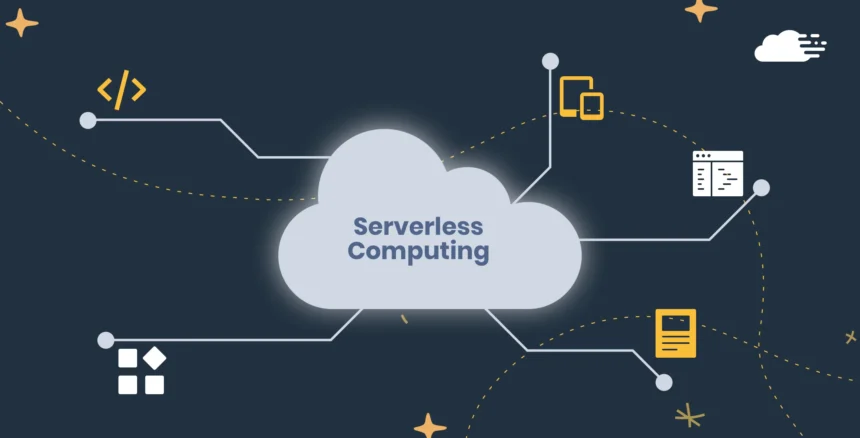
The phrase serverless computing can sound impossible. Every app still needs machines somewhere. Websites, mobile services and online tools cannot run in empty space. The real idea is simpler: developers can build and run parts of an application without provisioning, patching and maintaining the underlying servers themselves.
In a traditional setup, a team may need to estimate demand, configure machines, install software, monitor capacity and keep infrastructure updated. With serverless computing, the cloud provider handles much of that operational work. The developer writes code, connects it to an event and lets the platform run it when needed. The system may scale up when activity rises and scale down when demand falls.
This model can be useful for web APIs, file processing, scheduled tasks, notifications, data pipelines and many other event-driven workloads. It is not the perfect answer for every application. Limits involving performance, cost visibility, debugging and provider dependence still matter. This article explains how the model works, where it fits and what businesses should consider before adopting it.
For a broader introduction to online infrastructure, read The News Ink’s cloud computing guide.
What Is Serverless Computing?
Serverless computing is a cloud model in which a provider manages the underlying infrastructure needed to run code or selected backend services. The servers still exist, but the customer does not usually provision or maintain them directly.
The Google Cloud explanation describes the model as an execution approach that allocates machine resources on an as-used basis. Developers can build and run applications without managing servers because the provider provisions, manages and scales the infrastructure. Cloudflare offers an equally clear definition: backend services are delivered on an as-used basis so that customers do not need to reserve a fixed number of servers.
The word “serverless” therefore does not mean “without servers.” It means that server management becomes less visible to the developer.
How Serverless Computing Works
Many serverless applications are event-driven. An event is a change or request that triggers a piece of code. The event might be a user submitting a form, an image being uploaded, a payment being completed, a database record changing or a timer reaching a scheduled moment.
A small block of code runs in response. That code performs a task and then stops. The platform handles the infrastructure needed to execute it. AWS explains in its Lambda documentation that Lambda runs code without requiring server management, scales automatically and uses pay-per-use pricing. Microsoft describes Azure Functions as a serverless solution that helps developers build applications with less infrastructure management.
A simple example makes the process easier to understand:
- A user uploads a photograph to an app.
- The upload creates an event.
- A function runs automatically.
- The function resizes the image and creates a thumbnail.
- The processed image is saved.
- The function stops until another upload triggers it again.
The team does not need to keep a dedicated server running at full capacity all day just in case another image arrives.
Serverless Computing and Function as a Service
Function as a Service, commonly shortened to FaaS, is one of the best-known parts of serverless computing. FaaS allows developers to deploy small units of code called functions. These functions run when an event triggers them.
AWS Lambda, Azure Functions and Cloud Run functions are well-known examples. Google Cloud explains that Cloud Run functions can respond to events, expose microservices through HTTP APIs and connect with third-party services through webhooks.
The model can also include more than functions. Managed databases, storage services, authentication tools, messaging systems and workflow services may all reduce infrastructure work. FaaS is important, but it is not the entire serverless landscape.
Serverless Computing vs IaaS, PaaS and SaaS
Serverless computing becomes easier to understand when compared with other cloud models.
| Model | What the Customer Receives | What the Customer Commonly Manages | Typical Use |
|---|---|---|---|
| IaaS | Virtual servers, storage and networking | Operating systems, applications and configurations | Flexible infrastructure |
| PaaS | A managed application platform | Application code and data | Faster software development |
| SaaS | A finished online application | Users, permissions and business data | Ready-to-use software |
| Serverless computing | Managed execution for code and selected backend services | Business logic, application design and data | Event-driven tasks and scalable application components |
The News Ink’s IaaS vs PaaS vs SaaS explainer covers the traditional service models in detail. The serverless model often overlaps with PaaS because both reduce infrastructure work. The difference is that serverless platforms commonly emphasize event-driven execution, automatic scaling and usage-based charging at a more granular level.
7 Powerful Benefits of Serverless Computing
1. Developers Can Focus More on Code
One of the strongest benefits of serverless computing is that developers spend less time provisioning and maintaining infrastructure. They can focus more heavily on application logic, user needs and product improvements.
This does not remove operational responsibility completely. Teams still need to design, test, monitor and secure applications. However, they do not need to handle every server-level task themselves.
2. Capacity Can Scale With Demand
A serverless platform can increase or reduce resources when demand changes. A small app may handle only a few requests during quiet periods and then experience a sudden spike after a campaign, product launch or news event.
Google Cloud’s serverless platform explains that Cloud Run can adjust instances to manage incoming requests or high CPU usage and can scale to zero when appropriate. This elasticity can be useful when traffic is unpredictable.
3. Businesses May Pay Less for Idle Capacity
Traditional infrastructure often requires a business to keep resources running even when demand is low. With serverless computing, pricing is commonly tied more closely to actual usage.
AWS describes Lambda as a pay-as-you-go service where customers pay for compute time consumed. This can be efficient for intermittent workloads, scheduled tasks and applications with irregular demand.
However, lower idle cost does not guarantee a lower total bill. High-volume or poorly designed workloads may still become expensive. Cost monitoring remains necessary.
4. Event-Driven Tasks Become Easier to Build
Many digital services respond to events: a file arrives, a payment succeeds, a customer completes a form or a message enters a queue. Serverless computing is well suited to these patterns.
The AWS event-driven guide explains how events drive Lambda applications. Microsoft’s Azure Functions scenarios page gives examples involving web APIs, database changes, event streams and messages.
5. Teams Can Release Features Faster
A managed platform can shorten the path from an idea to a working feature. Developers can deploy a focused function without setting up a full server environment for every small task.
A business may use a function to send an order-confirmation email, process an uploaded document or connect two software services. This can make small improvements easier to deliver.
6. Serverless Computing Can Support Gradual Modernization
Organizations do not need to rebuild every application at once. They can add serverless components around existing systems. A function may automate a scheduled process, connect a legacy system with a cloud service or handle a new customer-facing feature.
This can fit a broader hybrid cloud strategy. A business may keep some systems in a controlled environment while using managed cloud services for selected workloads.
7. Smaller Teams Can Use Advanced Cloud Capabilities
A small development team may not have specialists for every infrastructure task. A managed serverless platform can provide access to scaling, event handling and integrations without requiring the team to build everything from scratch.
The result is not effortless software. It is a shift in effort. Teams can spend less time maintaining servers and more time designing a reliable application.
Serverless Computing Benefits Summary
| Benefit | Practical Value |
|---|---|
| Less server management | Developers focus more on features and business logic |
| Automatic scaling | Capacity adjusts when demand changes |
| Reduced idle spending | Usage-based pricing can suit irregular workloads |
| Event-driven execution | Code runs when a specific event occurs |
| Faster delivery | Teams can deploy focused features quickly |
| Gradual modernization | New components can connect with existing systems |
| Broader access | Smaller teams can use managed cloud capabilities |
Common Serverless Computing Use Cases
Serverless computing works best when the workload fits its strengths. Common examples include:
Web APIs and Mobile Backends
A function can respond to requests from a website or mobile app. It may retrieve information, process a form or connect the user interface with a database.
File and Image Processing
An uploaded file can trigger a function that resizes an image, checks a document, converts a format or extracts information. Google Cloud gives examples of event-driven functions responding when an object is added to cloud storage.
Notifications and Email Workflows
A completed purchase, account registration or support request can trigger a confirmation email or internal notification.
Scheduled Jobs
A function can run at a specific time to create a report, clean up old files or perform a routine check. AWS documents scheduled tasks through EventBridge Scheduler.
Data Processing and Automation
Serverless components can process messages, respond to database changes and support data pipelines. They can also connect applications through APIs and webhooks.
Internet of Things Events
Connected devices may generate events that need processing. Azure Functions documentation includes examples involving IoT streams and message queues.
Critical Challenges of Serverless Computing
The model is useful, but it should not be adopted simply because it sounds modern.
1. Cold Starts Can Affect Performance
When a function has not run recently, the platform may need to initialize an execution environment before processing the request. This delay is commonly called a cold start.
Google Cloud’s best-practices guidance explains that functions are stateless and execution environments may be initialized from scratch. Cold starts can take noticeable time, which matters for latency-sensitive tasks.
For some applications, the delay is minor. For others, such as highly interactive or time-critical services, it may require careful design.
2. Long-Running Workloads May Not Fit Easily
Functions are often designed for focused tasks rather than endless background processes. Platforms may impose execution-time, memory or resource limits.
For example, AWS documents a maximum standard Lambda function timeout of 15 minutes. This does not make the service unsuitable; it means teams should choose the right tool for the job. A long-running process may need a different service or a workflow designed across several steps.
3. Costs Can Become Harder to Predict
Paying for usage can reduce idle spending, but a system with many requests, data transfers or inefficient functions can generate unexpected charges. A loop or poorly controlled trigger can also cause a function to run repeatedly.
The AWS event-driven architecture guide warns that badly designed loops may consume concurrency and create repeated events. Set budgets, monitor usage and test edge cases before a workload becomes busy.
4. Debugging Becomes More Complex
A traditional application may run in one environment. A serverless application can involve many functions, services, queues and triggers. When something breaks, the problem may be spread across several components.
Use logging, monitoring and tracing from the beginning. Name functions clearly. Document triggers and dependencies. Small services are easier to manage only when the architecture remains understandable.
5. Vendor Lock-In Can Limit Portability
Different providers use different triggers, interfaces, configuration methods and managed services. An application built deeply around one platform may be difficult to move later.
This does not mean every provider-specific feature should be avoided. Specialized tools can save time and improve performance. The practical lesson is to understand the trade-off before becoming dependent on one ecosystem.
6. Security Responsibilities Still Remain
The provider manages the underlying infrastructure, but the customer still needs to secure code, data, identities, permissions and integrations.
The News Ink’s cybersecurity guide explains why access control, software updates and safer account habits remain essential. In serverless environments, teams should apply least-privilege permissions, protect secrets and review the services each function can access.
Serverless Computing Challenges Table
| Challenge | Why It Matters | Practical Response |
|---|---|---|
| Cold starts | A function may respond more slowly after inactivity | Test latency and reduce unnecessary dependencies |
| Execution limits | Some long-running tasks may not fit a function model | Choose a suitable service or split the workflow |
| Cost surprises | Repeated triggers and high usage can increase bills | Set budgets, alerts and usage monitoring |
| Debugging complexity | Many small services can be harder to trace | Use logs, monitoring and clear documentation |
| Vendor lock-in | Moving between providers may become difficult | Review portability before relying heavily on proprietary tools |
| Security gaps | Managed infrastructure does not protect poor permissions or unsafe code | Apply least privilege and secure secrets carefully |
Serverless Computing vs Containers
Serverless platforms and containers are not opposites. A container packages an application and its dependencies so that it can run consistently across environments. A serverless platform focuses on reducing infrastructure management and scaling resources according to demand.
Some services bring the ideas together. Google Cloud positions Cloud Run as a serverless platform for running applications while managing the infrastructure. A business can therefore use container-based deployments while still benefiting from managed scaling.
| Question | Serverless Functions | Containers |
|---|---|---|
| Best fit | Focused event-driven tasks | Applications needing more control over the runtime |
| Scaling | Commonly handled by the platform | Depends on the container platform and configuration |
| Infrastructure work | Reduced | Varies by hosting approach |
| Portability | Can be limited by provider-specific services | Often stronger when containers follow common standards |
| Complexity | Simple for small tasks, harder across many functions | More setup, but useful for larger application components |
The right answer may be a combination. A team can use functions for small events and containers for broader services.
Is Serverless Computing Right for Your Business?
Serverless computing may be worth considering when your application has event-driven tasks, irregular demand or a need for rapid feature delivery. It may also help when a team wants to modernize gradually without managing every infrastructure layer.
Ask these questions:
- Does the workload respond to clear events?
- Does demand rise and fall significantly?
- Would automatic scaling reduce operational work?
- Can the task complete within the service limits?
- How sensitive is the application to cold-start delays?
- How will the team monitor usage and cost?
- What permissions will each function require?
- Will provider-specific tools create a difficult exit path?
- Does the team need containers or another service for larger components?
- Can the design remain understandable as the number of functions grows?
A thoughtful answer matters more than following a trend. The News Ink’s article on cloud trends explains why businesses should connect technology choices with real operational needs.
Frequently Asked Questions About Serverless Computing
Does Serverless Computing Mean There Are No Servers?
No. Servers still run the code. The difference is that the cloud provider manages the underlying infrastructure, so developers do not provision and maintain the machines directly.
Is Serverless Computing the Same as SaaS?
No. SaaS is finished software used by customers. Serverless computing is a way to build and run application components without directly managing servers.
Is Serverless Computing Only for Large Businesses?
No. Small teams can use it for APIs, automation, scheduled jobs and file processing. The best choice depends on the workload rather than the size of the company.
Is Serverless Computing Always Cheaper?
No. It can reduce idle spending, especially for irregular workloads. High activity, inefficient design or repeated triggers can still increase costs.
What Is a Cold Start?
A cold start is the delay that may occur when a platform initializes an execution environment before a function runs. The impact depends on the service and workload.
Can Serverless Computing Work With Hybrid Cloud?
Yes. A business can add serverless components while keeping other systems in private, public or on-premises environments.
Is Serverless Computing Secure?
It can be used securely, but the provider does not manage every risk. The customer still needs secure code, careful permissions, protected credentials and effective monitoring.
Use Serverless Computing Where It Solves a Real Problem
Serverless computing is not a world without servers. It is a way to build and run selected application components while shifting much of the infrastructure management to a cloud provider. The approach can help teams release features faster, respond to events, scale with demand and reduce idle resource costs.
The strongest use cases are focused and deliberate. A function that processes an uploaded image, sends a notification or responds to a webhook can be a sensible choice. A complicated application with strict latency requirements, long-running processes or unclear monitoring may need a different design.
Start with the workload, not the buzzword. Use serverless computing where it reduces real operational work, monitor costs carefully and keep security responsibilities clear.
For more practical technology explanations, read The News Ink’s cloud computing guide and follow us on X for useful updates.