



Phishing Scams Explained: 9 Alarming Warning Signs You Should Never Ignore
An email says your bank account will be frozen unless you act immediately. A text claims that a parcel cannot be delivered until you pay a small fee. A message from a colleague asks you to open an urgent document. Each request may look ordinary, but it could be part of a growing wave of phishing scams designed to steal passwords, payment details or personal information.
Phishing scams work because they do not always look obviously suspicious. Some contain spelling mistakes and strange formatting, but others copy real company logos, use convincing language and imitate familiar login pages. A polished message is not automatically a safe message. The most effective protection is to pause before clicking, verify unexpected requests through a trusted channel and learn the warning signs that scammers repeatedly use.
The Federal Trade Commission warns that scammers often use emails or text messages to create a believable story, such as a payment problem, suspicious login attempt, unexpected invoice or government refund. This article explains how phishing scams operate, the nine warning signs you should never ignore and the steps to take when a suspicious message reaches your inbox.
What Are Phishing Scams?
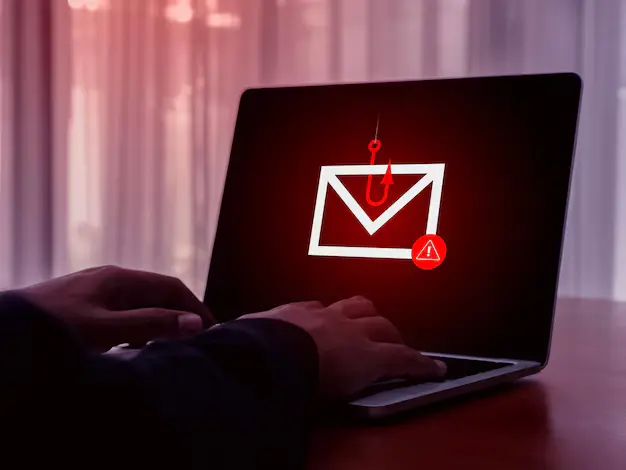
Phishing scams are fraudulent messages designed to persuade people to reveal sensitive information, open a harmful attachment, click a dangerous link or send money. The message may arrive by email, text message, social media direct message or messaging app. Some scams also use phone calls, a method often called vishing, while text-message scams are commonly called smishing.
The goal is usually simple: make the victim trust the message long enough to take an action. A fake login page may collect an email address and password. A false bank alert may ask for a card number. A fraudulent invoice may contain malware. A message pretending to come from a senior employee may ask for a rushed payment.
The FBI’s spoofing and phishing advice explains that criminals may disguise an email address, sender name, phone number or website URL by changing a letter, symbol or number. The message can appear close enough to the real thing that a busy reader does not notice the difference.
Phishing scams are one part of a larger online-safety problem. The News Ink’s cybersecurity guide explains the broader habits that protect accounts, devices and personal information, including strong passwords, multifactor authentication and software updates. Recognizing suspicious messages is one of the most important habits because a single careless click can expose more than one account.
Why Phishing Scams Are Becoming Harder to Spot
Older scams often contained obvious mistakes. Today, many phishing scams are more convincing. Criminals can copy branding, create realistic-looking pages and gather personal details from social media. Some fraud campaigns also use artificial intelligence, stolen images or impersonation tactics to create a stronger sense of trust.
This wider problem is visible in the way scammers are becoming smarter and in the growing difficulty of proving that someone is genuinely human online. A familiar logo, a professional layout or a message that sounds natural should never replace careful verification.
The Canadian Centre for Cyber Security notes in its phishing guidance that attackers play on emotions such as fear, excitement, authority, curiosity and trust. That is the common thread behind many phishing scams: the message is built to make you react before you think.
9 Alarming Warning Signs of Phishing Scams
1. The Message Creates Sudden Urgency or Fear
Many phishing scams try to rush the reader. The message may claim that an account will be suspended, a payment failed, a package is waiting, a tax deadline has arrived or someone has accessed your account. It may demand action within minutes.
Urgency is powerful because it shortens the time people spend checking details. A person worried about losing access to online banking may click before asking whether the message is genuine. A small-business owner may open an attachment because an invoice appears overdue. A student may enter a password because a message claims that an account will be disabled.
Real organizations may send important notices, but a legitimate message does not remove your right to verify it. When a message creates panic, do not use the link or number inside it. Open the organization’s official app, type the known website address yourself or call a trusted number from a bank card, statement or official website.
2. The Sender Address or Website Looks Almost Correct
One of the most common warning signs of phishing scams is a sender address that looks similar to a real one but is not exact. A criminal may add an extra letter, replace a character or use an unfamiliar domain. A fake website may copy the design of a bank, delivery service or streaming platform while using a misleading URL.
The difference can be easy to miss on a phone screen. A message may display a trusted company name even when the underlying email address is unrelated. A link may contain a familiar word but lead somewhere else entirely.
Before clicking, examine the sender address carefully. On a computer, hover over the link to preview the destination. On a phone, press and hold the link if your device allows a safe preview. Do not open the page merely to investigate it. When in doubt, navigate independently through the company’s official app or a bookmarked website.
3. The Message Requests Passwords, Verification Codes or Sensitive Details
Phishing scams often ask for information that a trustworthy organization should not request through an unexpected message. The scammer may ask for your password, card number, banking PIN, national identification details, security answers or one-time verification code.
A particularly important rule is never to share a login code with someone who contacts you unexpectedly. A one-time code may be the final step a criminal needs to access an account after obtaining or guessing the password. The message may claim that the code is required to cancel fraud, verify your identity or secure your account. That explanation is itself a warning sign.
The FTC advises people to contact the company using a phone number or website they already know is real rather than the information supplied inside an unexpected message. This simple habit defeats many phishing scams because it removes the scammer from the verification process.
4. The Link Does Not Match the Claim
A message can look convincing while sending you to the wrong website. Some phishing scams use buttons such as “Review Activity,” “Track Package,” “Claim Refund” or “Secure Your Account.” Others use shortened links, QR codes or misleading addresses that hide the real destination.
Do not assume that a padlock icon or an “https” address proves a page is trustworthy. Encryption only means that data sent to the website is protected in transit; it does not prove that the website belongs to the organization you intended to visit. A scam page can also use encryption.
A safer approach is to avoid unexpected links altogether. Use the official mobile app, enter the website address yourself or search for the company independently. This takes longer than tapping a button, but it is far safer than handing a password to a fake page.
5. You Receive an Unexpected Attachment, Invoice or Shared File
Unexpected attachments are another major warning sign. Phishing scams may include a fake invoice, delivery document, résumé, payment confirmation, voice message or shared cloud file. The attachment may contain malware or direct you to a fake login page.
The FTC specifically warns that phishing messages may contain invoices people do not recognize or links that could install malware. Treat an unexpected file cautiously even when it appears to come from someone you know. A real person’s account may have been compromised, allowing criminals to send harmful files from a familiar address.
Before opening a file, ask whether you expected it. Confirm the request through a separate communication method. For example, call the sender using a number already saved in your contacts or start a new message rather than replying to the suspicious thread.
6. The Payment Request Uses an Unusual Method
Some phishing scams are designed to steal money directly rather than collect passwords. A scammer may demand gift cards, cryptocurrency, a bank transfer or payment through an unfamiliar platform. The message may claim that the payment is needed to unlock an account, settle a fine, release a parcel or solve an emergency.
Unusual payment instructions deserve immediate suspicion. Gift cards and cryptocurrency are especially attractive to criminals because payments can be difficult to reverse. A scammer may also insist that you keep the payment secret or remain on the phone while completing it.
Stop the conversation before sending money. Contact the company, relative or colleague independently. A genuine organization will allow you to confirm the request without pressuring you to use an unusual payment method.
7. The Message Contains Odd Details, but Good Grammar Does Not Prove Safety
Spelling mistakes, awkward sentences, strange formatting and generic greetings remain useful clues. However, they are no longer reliable filters on their own. Some phishing scams are poorly written, while others are polished and professional.
Look for a combination of warning signs. The message may address you incorrectly, use inconsistent branding, mention a service you do not use or refer vaguely to “your account” without explaining which account. It may contain a logo but use an unrelated email address. It may sound formal but ask for an action that makes no sense.
The reverse is also important: do not trust a message merely because the grammar is correct. Modern phishing scams can be carefully written. Scammers may copy legitimate emails or use tools that produce natural language. Always judge the request, sender and destination together.
8. The Message Uses a Tempting Story: Refund, Prize, Delivery or Invitation
Not every scam relies on fear. Some phishing scams use curiosity or excitement. A text may promise a refund, discount, prize, job opportunity or delivery update. An email may claim that you have received an invitation, a shared photograph or an unexpected document.
The story is designed to make clicking feel harmless. A small delivery fee may appear routine. A party invitation may seem personal. A refund may seem worth claiming quickly. Yet the page behind the link may ask for payment details or email credentials.
Pause when an unexpected opportunity arrives. Ask whether you initiated the transaction, entered the competition or expected the invitation. Verify the claim through an official website or a separate message to the supposed sender. Curiosity is not a reason to lower your guard.
9. A Familiar Person Makes an Unusual Request
Some of the most persuasive phishing scams appear to come from people you know. A message may imitate a family member, employer, colleague or friend. It may ask for money, gift cards, login details, a confidential document or a quick favor.
A familiar name is not proof of identity. The sender’s account may have been hacked, the address may be spoofed or the scammer may be using publicly available information. Online impersonation can cause serious harm, as seen in cases where teenagers’ identities are stolen for catfishing.
Verify unusual requests through a second channel. Call the person on a number you already have. Ask a question only the real person is likely to answer. In a workplace, confirm payment changes through an established approval process. A brief check can prevent a costly mistake.
A Simple Checklist Before You Click
When a message feels suspicious, stop and ask these questions:
| Question | Why It Matters |
|---|---|
| Was I expecting this message? | Unexpected messages deserve additional checking. |
| Is the sender creating urgency, fear or excitement? | Strong emotion can push people into acting too quickly. |
| Is the message asking for money, a password or a code? | These requests are common in phishing scams. |
| Does the sender address exactly match the real organization? | Small changes can reveal spoofing. |
| Can I verify the request using an official app or trusted number? | Independent verification avoids the scammer’s link or contact details. |
| Would I still act after waiting ten minutes? | A pause makes manipulation easier to recognize. |
This checklist does not require technical expertise. It simply creates distance between the message and your decision. Many phishing scams depend on immediate action. A pause breaks that pattern.
What to Do If You Clicked a Suspicious Link
Clicking a suspicious link does not automatically mean that your account has been stolen, but you should act quickly. Do not continue entering information. Close the page and consider what you may have exposed.
If you entered a password, change it immediately from the official website or app. If that password was reused elsewhere, change it on every affected account and start with your email account. Turn on multifactor authentication wherever it is available. Review recent login activity and sign out of unfamiliar sessions.
If you opened an attachment or believe harmful software was downloaded, update your security software and run a scan. The FTC recommends scanning a device after a suspicious download. If you shared banking or card information, contact your bank or card provider immediately using a trusted number.
The UK National Cyber Security Centre provides a practical page on what to do after sharing sensitive information. In the United States, people who believe their identity information was stolen can use IdentityTheft.gov for a recovery plan.
How to Protect Yourself From Phishing Scams
No single tool can stop every attempt, but a few habits make phishing scams much less effective:
- Use a unique password for every important account.
- Turn on multifactor authentication, especially for email, banking and social media.
- Keep phones, computers, browsers and apps updated.
- Avoid clicking unexpected links or opening unverified attachments.
- Use official apps or independently typed website addresses for sensitive logins.
- Confirm unusual requests through a separate communication method.
- Report suspicious messages instead of simply ignoring them.
- Teach family members and colleagues to pause before acting.
The National Cyber Security Centre encourages people to report suspicious emails, texts, websites and calls. Reporting matters because it can help authorities investigate malicious infrastructure and protect other users.
Frequently Asked Questions About Phishing Scams
Can phishing scams arrive through text messages?
Yes. Text-message phishing scams are often called smishing. They may claim that a parcel is waiting, a payment failed or an account requires verification. Do not use the link inside an unexpected text. Visit the official app or website independently.
Are phishing scams always easy to recognize?
No. Some phishing scams contain mistakes, but others are carefully written and visually convincing. Check the sender address, destination, request and context rather than relying only on spelling.
What should I do with a suspicious email?
Do not click links, open attachments or reply. Report the message through your email provider or the appropriate national reporting channel, then delete it. The NCSC also provides advice on spotting scam messages.
Can multifactor authentication stop phishing scams?
Multifactor authentication adds an important layer of protection, but it does not justify careless clicking. Never share a one-time code or approve an unexpected login prompt. Use multifactor authentication together with careful verification.
Is it safe to click a link just to inspect the website?
It is better not to click. Open the official app or type the known website address yourself. Some phishing scams lead to fake login pages, while others may expose you to harmful downloads.
Stay Alert Without Becoming Afraid
The goal is not to distrust every message. It is to build a simple routine: pause, inspect and verify. Phishing scams succeed when people feel rushed, curious or frightened. A few extra seconds can prevent a stolen password, an account takeover or a financial loss.
Remember the core rule: never let an unexpected message control how you verify an unexpected message. Open the official app, use a trusted website or contact the person separately. For more practical digital-safety advice, read The News Ink’s cybersecurity guide and follow our WhatsApp channel for useful updates.