



Laptops With SIM Cards: Why Don’t Most Laptops Have Them Like Smartphones?
Your smartphone can lose Wi-Fi and keep working as though nothing happened.
Walk outside.
Leave your home network.
Get into a car.
Travel across a city.
The phone simply switches to 4G or 5G and stays connected.
Your laptop usually does something very different.
Once Wi-Fi disappears, the internet often disappears with it unless you turn on your phone’s hotspot.
That seems strange.
A laptop is larger than a phone, often considerably more expensive and has far more physical space inside it.
So why are laptops with SIM cards still not normal?
The answer is not that laptop manufacturers cannot build them.
They already do.
Microsoft Windows supports PCs with physical SIM cards and eSIMs, and manufacturers including Lenovo, Dell, HP and Samsung have produced computers capable of connecting directly to 4G or 5G networks.
Microsoft specifically explains that compatible Windows PCs can contain a SIM or eSIM and connect directly to cellular data networks. Microsoft — Cellular settings in Windows
The real reason laptops with SIM cards are uncommon is that the SIM card itself is only one small component.
A cellular laptop also needs:
- a 4G or 5G modem;
- cellular antennas;
- radio-frequency hardware;
- supported network bands;
- firmware;
- drivers;
- carrier compatibility;
- certification;
- and usually a separate mobile-data plan.
All of that adds cost and complexity to a feature many laptop buyers may rarely use.
That is why laptops with SIM cards exist and work perfectly well, yet remain optional rather than standard.
Laptops With SIM Cards at a Glance
| Question | Answer |
|---|---|
| Can laptops use SIM cards? | Yes, if cellular hardware is installed |
| Can a SIM slot alone provide internet? | No |
| Can laptops use eSIM? | Yes, on compatible models |
| Can laptops connect directly to 5G? | Yes |
| Is Wi-Fi still included? | Yes |
| Is cellular standard on most laptops? | No |
| Why is it uncommon? | Cost, hardware, antennas, carriers and limited demand |
| Main alternative | Smartphone hotspot |
| Best users | Travelers, businesses and mobile workers |
Understanding that distinction explains almost everything.
1. Laptops With SIM Cards Already Exist
The first myth worth removing is that manufacturers somehow have not thought of putting mobile connectivity into computers.
They have.
Windows has supported cellular networking for years.
On a compatible PC, Windows can display a dedicated Cellular section under Network & Internet settings. Users can connect to a mobile operator much like they would on a smartphone.
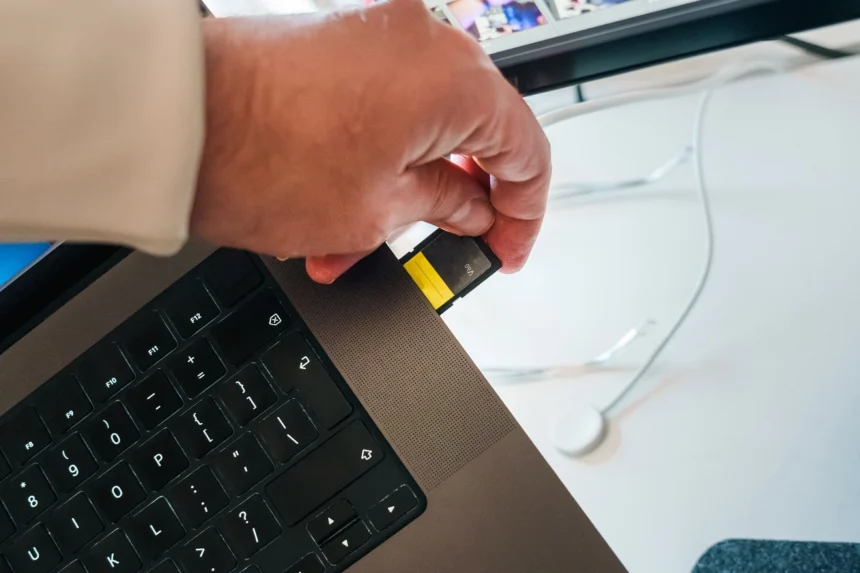
Some models support physical SIM cards.
Others support eSIM.
Some support both.
Microsoft also allows compatible Windows PCs to install and manage eSIM profiles without inserting a physical SIM card. Microsoft — Using eSIM on a Windows PC
Lenovo currently offers ThinkPad configurations with optional 5G WWAN. Its ThinkPad X13 documentation specifically advertises the ability to remain connected outside Wi-Fi coverage when the computer is configured with 5G WWAN. Lenovo — ThinkPad X13 with optional 5G WWAN
Dell likewise documents business laptops that can contain either 4G or 5G WWAN modules. Dell — Laptop WWAN module specifications
So laptops with SIM cards are already real products.
The real mystery is why this capability is not included in practically every laptop sold.
2. A SIM Card Does Not Create a Cellular Connection
This is the most important technical fact in the entire discussion.
A SIM card is not a cellular modem.
The SIM mainly provides subscriber identity and authentication information used by the mobile network.
It does not itself receive a 5G signal.
It does not contain the complete radio system.
For laptops with SIM cards to communicate with a tower, the computer also needs hardware capable of sending and receiving cellular signals.
That normally means:
**SIM or eSIM
- cellular modem
- RF hardware
- antennas
- software
- network support
= mobile broadband connection**
HP’s documentation makes this distinction particularly clear.
HP notes that the presence of a SIM card does not automatically mean that WWAN or mobile-broadband service is available. The machine still needs the relevant WWAN equipment. HP — Connecting laptops to WWAN networks
Think of the SIM as a key.
The key proves who you are to the mobile operator.
But you still need the entire vehicle.
Simply putting SIM trays into ordinary laptops would therefore accomplish very little.
3. Smartphones Were Designed Around Cellular Networks
Smartphones and laptops come from completely different technological histories.
A mobile phone was created to communicate while moving.
Before phones had:
- app stores;
- cameras;
- streaming services;
- GPS;
- social media;
- AI assistants;
they already needed cellular radios.
Without a connection to a mobile network, the original mobile phone could not perform its primary purpose.
The laptop evolved from the personal computer.
Its original purpose was computing.
Networking happened through wired connections and later Wi-Fi.
By the time mobile broadband became fast and reliable enough to provide a strong laptop experience, Wi-Fi was already everywhere.
That historical difference still shapes product design.
For a smartphone:
cellular connectivity is fundamental.
For a laptop:
internet connectivity is fundamental, but cellular connectivity is optional.
That is one major reason laptops with SIM cards followed a very different path from smartphones.
4. Your Smartphone Already Acts Like a Laptop Modem
There is another major reason manufacturers do not put cellular hardware into every computer.
You probably already carry it.
Your smartphone.
Modern smartphones can create a personal hotspot and share their 4G or 5G connection with a laptop.
The laptop then treats the phone almost like a portable Wi-Fi router.
Apple supports this directly through Personal Hotspot and Instant Hotspot, allowing Macs and other devices to use an iPhone or cellular iPad’s mobile-data connection. Apple — Sharing an iPhone cellular connection
Android phones provide similar hotspot functionality.
For millions of laptop owners, that solves the problem.
Suppose you use your laptop outside Wi-Fi twice per month.
Would you rather:
buy another cellular plan;
pay extra for WWAN hardware;
and manage another connection,
or simply turn on your phone’s hotspot?
Many consumers choose the hotspot.
That dramatically reduces mass-market demand for laptops with SIM cards.
The smartphone has effectively become an external cellular modem for the laptop.
5. Laptops With SIM Cards Cost More to Manufacture
Every extra component has a cost.
A normal laptop already requires:
processor;
memory;
storage;
display;
battery;
Wi-Fi;
Bluetooth;
cooling;
speakers;
camera;
ports;
motherboard.
Cellular connectivity introduces another set of components.
Depending on the design, manufacturers may need:
- a 4G or 5G modem;
- additional RF components;
- antennas;
- antenna cables;
- SIM or eSIM hardware;
- different motherboard routing;
- firmware development;
- driver support;
- network testing.
One modem may not seem expensive compared with a premium laptop.
But computer manufacturers operate at enormous scale.
Adding hardware to millions of machines matters.
More importantly, the manufacturer may be adding it for customers who will never activate it.
That creates a sensible commercial strategy:
make cellular connectivity optional.
Buyers who really need laptops with SIM cards can pay for a WWAN configuration.
Everyone else gets a cheaper laptop.
6. Cellular Antennas Add Engineering Complexity
The modem is only part of the challenge.
Cellular signals need antennas.
Modern notebooks are surprisingly crowded internally.
Manufacturers are already trying to fit:
large batteries;
Wi-Fi antennas;
Bluetooth hardware;
speakers;
cooling systems;
cameras;
storage;
memory;
processors;
and increasingly AI accelerators
inside thin chassis.
Adding cellular antennas requires careful engineering.
A modem may also have to support multiple network bands.
Poor antenna placement can reduce signal quality.
Qualcomm’s connected-PC platforms demonstrate why cellular connectivity is best considered as part of the complete computer design. Its Snapdragon laptop platforms support integrated or optional 4G and 5G connectivity for always-connected PCs. Qualcomm — 4G LTE and 5G connected PCs
The News Ink’s guide to modern [AI chips and data centers] is also useful for understanding how computing devices increasingly combine specialized processors, networking and dedicated hardware rather than relying on one general-purpose chip.
The News Ink — AI Chips and Data Centers Explained
Cellular networking is another specialized hardware layer manufacturers must decide whether users actually need.
7. Different Countries Use Different Cellular Networks
Wi-Fi is relatively simple from the consumer’s perspective.
Turn on Wi-Fi.
Choose a network.
Enter the password.
Cellular networking introduces a new participant:
the mobile operator.
Different countries and carriers may use different:
frequency bands;
network configurations;
certification requirements;
eSIM systems;
roaming arrangements;
activation procedures.
Dell notes that eSIM availability on its WWAN-equipped systems can depend on region and mobile-carrier requirements.
Lenovo likewise states that 5G functionality requires suitable WWAN hardware and service from an authorized mobile carrier. Lenovo — Connecting a ThinkPad to 5G cellular data
That means laptops with SIM cards cannot always be manufactured and sold as one completely identical worldwide configuration.
A global laptop company may need different variants for different markets.
That adds more logistics, support and certification work.
8. A Cellular Laptop Usually Needs a Data Plan
A modem does not create free mobile internet.
You still need a carrier.
That often means paying for:
a SIM;
an eSIM plan;
a shared device plan;
or another mobile-data subscription.
Some operators allow several devices to share an account.
Others may require separate arrangements.
Either way, the connection has an ongoing cost.
For an employee working daily from:
trains;
airports;
customer locations;
vehicles;
construction sites;
or remote facilities,
the cost may be trivial compared with the productivity benefit.
For someone who uses a laptop almost entirely at home, it may be unnecessary.
That difference in demand explains why laptops with SIM cards appear so frequently in corporate product ranges.
Business customers are more likely to pay for constant connectivity because lost connection can mean lost working time.
9. eSIM Makes Laptops With SIM Cards Easier—but Does Not Solve Everything
eSIM removes one obvious piece of hardware:
the removable plastic SIM card.
The GSMA describes eSIM technology as allowing a SIM profile to be securely downloaded into an embedded secure element instead of relying entirely on a removable card. GSMA — How eSIM works
This is particularly attractive for computers.
A compatible laptop could theoretically allow a traveler to purchase a mobile-data plan, download the eSIM profile and connect without visiting a shop or inserting a tiny card.
But eSIM solves only provisioning.
The computer still needs:
a modem;
cellular antennas;
radio hardware;
supported frequency bands;
firmware;
drivers.
So eSIM improves laptops with SIM cards, but it does not eliminate the expensive hardware needed to communicate with the network.
A Wi-Fi-only laptop cannot suddenly become a cellular laptop simply because eSIM technology exists.
10. Business Users Have a Much Stronger Reason to Want Cellular Laptops
Imagine two laptop owners.
The first works from home.
The laptop moves between a desk, sofa and bedroom.
Wi-Fi is available everywhere.
Cellular connectivity adds almost nothing.
The second user is a field engineer.
Monday: construction site.
Tuesday: train.
Wednesday: customer office.
Thursday: airport.
Friday: remote industrial facility.
For that person, direct cellular connectivity can be extremely useful.
This is why business laptop families frequently offer WWAN options.
Built-in connectivity can also reduce dependence on unfamiliar public Wi-Fi.
That matters for organizations managing sensitive information.
The News Ink’s [Network Security Explained] guide discusses why remote devices and untrusted networks require careful controls.
The News Ink — Network Security Explained
The broader [Cybersecurity for Businesses] guide also explains why employee laptops increasingly need to be managed as business-critical endpoints.
The News Ink — Cybersecurity for Businesses
For companies with highly mobile employees, laptops with SIM cards therefore have a much clearer financial justification.
11. Wi-Fi Became Too Successful
Another explanation is surprisingly simple.
Wi-Fi won.
Most places where people sit down and use a laptop already provide it.
Homes.
Offices.
Universities.
Hotels.
Airports.
Libraries.
Cafés.
Shopping centers.
Conference venues.
A smartphone has to work while someone is walking down a street.
A laptop is usually opened after the user sits somewhere.
And places where people sit with laptops commonly have Wi-Fi.
That dramatically reduced pressure to make laptops with SIM cards universal.
Wi-Fi is not perfect, however.
Public networks can introduce security and privacy concerns.
The News Ink’s [Cybersecurity Explained] guide covers practical precautions for users connecting through public and unfamiliar networks.
The News Ink — Cybersecurity Explained
Built-in cellular service can reduce the need to join unknown hotspots, although it does not remove the need for normal cybersecurity measures.
12. 5G Makes Laptops With SIM Cards Much More Useful
Mobile broadband has changed dramatically.
Early cellular laptop connections could be slow enough that users treated them as emergency connectivity.
Modern 4G is far more capable.
5G raises the ceiling further.
A strong connection can support:
cloud applications;
video calls;
streaming;
large downloads;
remote access;
online collaboration.
Qualcomm now actively markets 5G-connected laptops as computers that can operate without needing a hotspot. Qualcomm — 5G PCs for consumers
Samsung has also demonstrated the concept through Galaxy Book models with integrated 5G connectivity. Samsung — Galaxy Book Flex 5G
This means technology itself is becoming less of an obstacle.
Modern laptops with SIM cards can provide a genuinely smartphone-like connection experience.
The remaining question is whether enough consumers are willing to pay for it.
13. Why Arm and Snapdragon PCs Could Change the Market
Traditional laptops and smartphones historically used very different hardware ecosystems.
That distinction is weakening.
Qualcomm’s Snapdragon laptop platforms come from a mobile technology environment where:
cellular modems;
efficient processors;
low-power networking;
instant connectivity
are already familiar engineering problems.
At the same time, computers are becoming more phone-like.
Modern notebooks increasingly offer:
instant wake;
very long battery life;
AI processors;
biometric authentication;
background cloud synchronization;
eSIM;
mobile applications.
That could gradually make cellular networking feel less like a business-only feature.
If laptop buyers eventually expect a computer to remain connected anywhere, laptops with SIM cards could become much more common.
14. Travel Is One of the Best Uses for Cellular Laptops
Travel exposes the weaknesses of Wi-Fi dependence.
Imagine landing in another country.
You need to send a document immediately.
Airport Wi-Fi is overloaded.
Your hotel network is unreliable.
Your phone is nearly dead.
A laptop with built-in cellular service could connect directly to an available mobile network.
With eSIM, the process can become even easier because compatible devices can store and switch between carrier profiles.
The News Ink’s [Smart Travel] guide emphasizes planning communications and digital connectivity before traveling instead of assuming reliable Wi-Fi will always be available.
The News Ink — Smart Travel Guide
For:
business travelers;
journalists;
digital nomads;
international students;
remote employees,
laptops with SIM cards can remove a meaningful amount of travel friction.
15. Can You Put a SIM Card Into Any Laptop?
No.
This is a common mistake.
You cannot assume a laptop supports cellular service simply because:
it has an unusual tray;
another version of the same laptop supports 5G;
or there appears to be space for a modem.
A proper cellular configuration may require:
WWAN module;
cellular antennas;
antenna cables;
SIM hardware;
firmware support;
compatible BIOS;
drivers.
Dell documentation provides a particularly useful warning: a computer may physically contain a SIM slot while lacking the modem hardware required for cellular connectivity.
This means shoppers looking for laptops with SIM cards should check specifications carefully.
Look for terms such as:
WWAN
4G LTE
5G
mobile broadband
cellular
eSIM
Do not rely on the presence of a tray alone.
16. What If Your Current Laptop Does Not Support a SIM?
You still have several ways to get mobile internet.
Smartphone Hotspot
This is the simplest solution for most people.
Your phone connects to the cellular network and shares that connection with the laptop.
Portable 4G or 5G Router
A dedicated mobile hotspot accepts a SIM or eSIM and creates a private Wi-Fi network.
This can be especially useful when several devices need the same connection.
External Cellular Modem
Microsoft notes that Windows computers without built-in cellular capability can also connect through compatible external cellular devices.
Buy a WWAN Configuration Next Time
If direct mobile connectivity is essential, buying a laptop designed around WWAN is usually easier than trying to retrofit unsupported hardware.
Should Laptops With SIM Cards Become Standard?
There is a compelling argument that they should.
A laptop is supposed to be portable.
A truly portable computer should arguably be capable of opening almost anywhere and immediately getting online.
No Wi-Fi password.
No phone hotspot.
No portable router.
No searching for a café.
Just open the lid and connect.
That would make laptops with SIM cards significantly closer to smartphones in everyday convenience.
But the economic counterargument is equally strong.
Millions of people use laptops almost entirely:
at home;
at school;
or at an office.
All three locations usually have Wi-Fi.
Making every buyer pay indirectly for a modem and antennas they may never use would increase hardware costs without creating equal value for everyone.
That is why optional cellular configurations make sense today.
Frequently Asked Questions
What are laptops with SIM cards?
Laptops with SIM cards are computers containing cellular or WWAN hardware that allows them to connect directly to mobile networks such as 4G LTE or 5G using a physical SIM or compatible eSIM.
Why don’t most laptops have SIM cards?
Most laptop users rely primarily on Wi-Fi. When they need cellular internet, they can usually use a smartphone hotspot. Adding modems, antennas, certification and carrier support therefore does not make economic sense for every model.
Can I put a SIM card in a normal laptop?
Only if that laptop contains compatible WWAN hardware. A SIM card alone cannot create cellular connectivity.
Can a laptop use eSIM?
Yes. Compatible Windows laptops can use eSIM profiles instead of removable cards.
Do cellular laptops need mobile-data plans?
Yes. Laptops with SIM cards still require compatible cellular service from a mobile operator.
Can laptops connect to 5G?
Yes. Multiple manufacturers sell or have sold laptops capable of connecting directly to 5G networks.
Is a cellular laptop better than a smartphone hotspot?
It is more convenient because the computer does not depend on the phone, but whether it is worth paying for depends on how frequently you work outside Wi-Fi coverage.
Can I upgrade my laptop to 5G?
Sometimes. The laptop generally needs the correct WWAN slot, antennas, firmware and manufacturer support. Many ordinary Wi-Fi laptops cannot be upgraded easily.
Is cellular safer than public Wi-Fi?
It can reduce the need to use unknown public hotspots, but cellular networking does not replace software updates, encrypted websites, strong passwords, MFA and other basic security protections.
Will cellular laptops become more common?
Possibly. 5G, eSIM, Arm-based processors and always-connected computing make the technology increasingly practical. Consumer demand and mobile-data pricing will determine whether manufacturers eventually make it standard.
Laptops With SIM Cards Solve a Real Problem—But Not Everyone Has It
At first glance, the situation looks ridiculous.
Your smartphone can remain connected almost anywhere.
A tablet can be purchased with cellular connectivity.
Yet a powerful $1,000 or $2,000 laptop may suddenly become offline the moment Wi-Fi disappears.
But the explanation becomes much clearer once you look beyond the tiny SIM card.
Laptops with SIM cards require an entire cellular communication system.
A modem.
Antennas.
Radio hardware.
Software.
Carrier support.
Network compatibility.
And an active data plan.
Manufacturers therefore have to ask whether every buyer needs those components.
For most consumers today, the answer is still no.
Wi-Fi covers most places where laptops are used.
When Wi-Fi disappears, the smartphone already sitting in the user’s pocket can create a hotspot.
That makes built-in cellular networking extremely valuable for certain people but unnecessary for many others.
Business travelers value it.
Field employees value it.
Journalists may value it.
Digital nomads may value it.
Someone whose laptop remains on a desk beside a home router probably does not.
That is why laptops with SIM cards are much easier to find in premium business and mobility-focused product lines than in ordinary consumer notebooks.
But that balance could change.
5G networks are becoming more capable.
eSIM makes carrier activation easier.
Arm-based computers are borrowing more technology from smartphones.
Laptop processors are becoming more power efficient.
Work is increasingly cloud based.
And people increasingly expect every important device to remain connected wherever they go.
Eventually, asking why a laptop does not have its own mobile connection may sound as strange as asking why a phone needs one.
For now, however, the reason is straightforward.
Laptop manufacturers are perfectly capable of building laptops with SIM cards.
They simply do not believe every customer needs to pay for the hardware required to make cellular connectivity work.
Follow The News Ink
For more research-driven explainers, science coverage and global stories, follow The News Ink on X, Instagram, Threads, Medium, Substack, Bluesky, Pinterest, TikTok, Quora and Mastodon.